How to print a protractor at actual size
- Choose the type (180° or 360°) and size above, then tap Download PDF.
- Open the PDF and choose Print.
- Set Scale to 100%. It may be called Actual size (Adobe Reader), Scale: 100 (Chrome), or unchecking Scale to fit (Mac Preview). Turn off Fit to page.
- Print, then measure the 1-inch square in the top corner of the page. If it measures exactly 1 inch, every degree mark is in the right place.
- Cut out the protractor along its outline. For a sturdier tool, glue the sheet to card stock before cutting.
No printer? Use the online protractor right on your screen. It can even be calibrated to real size.
How to use a paper protractor
- Line up the center. Place the small cross (the center mark on the baseline) exactly on the vertex of your angle.
- Line up the baseline. Rotate the protractor until the 0° line lies along one arm of the angle.
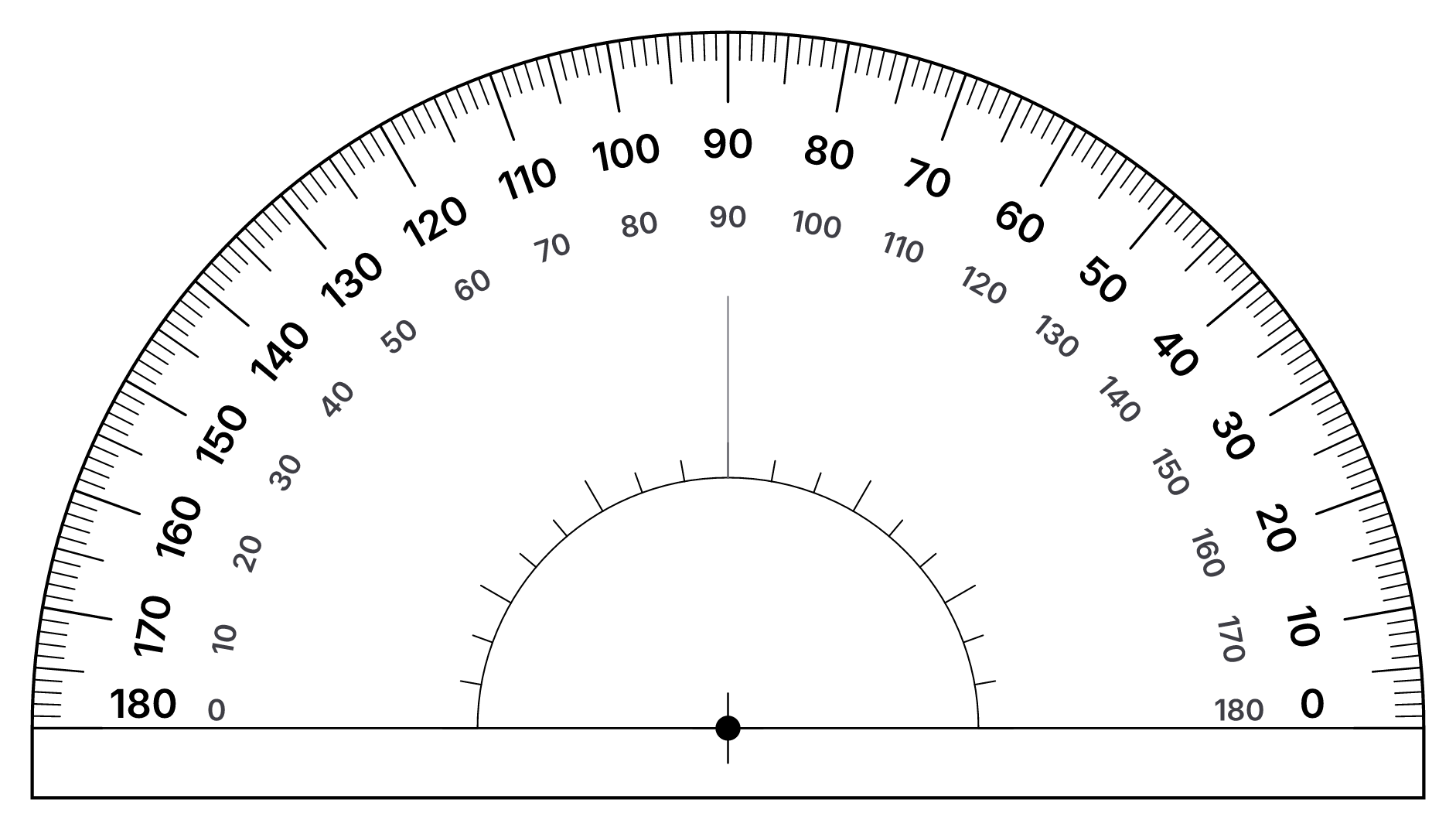
- Read the scale. Follow the other arm to the numbers. Use the scale that starts at 0 on the arm you lined up. The outer scale counts up counter-clockwise from the right, the inner scale counts up clockwise from the left.
- Extend short lines. If an arm does not reach the numbers, extend it with a ruler first.
For a full walkthrough with pictures, read how to use a protractor and how to read a protractor.
What's on the printable protractor
- 1° tick marks with longer marks every 5° and 10°, so you can read any whole-degree angle.
- Two number scales running in opposite directions, like a real school protractor, so you can measure from either side.
- Center mark and baseline for lining up the vertex, plus a 90° reference line.
- An inner reference ring marked every 10° to help when the arms of your angle are short.
- A 1-inch check square (in the PDF) to confirm your printer did not scale the page.
Frequently asked questions
How do I print a protractor at the correct size?
Open the PDF and print it with scaling set to 100% or Actual size. Turn off "Fit to page", "Shrink oversized pages" and "Scale to fit". After printing, measure the 1-inch check square with a ruler. If it is exactly 1 inch, your protractor is accurate.
Can I print a clear (see-through) protractor?
Yes. Print the PDF on inkjet or laser transparency film (the kind made for overhead projectors), using the film type that matches your printer. Let the ink dry, then cut it out. A see-through protractor is much easier to line up with an angle.
Is a paper protractor accurate?
A carefully printed and cut paper protractor is accurate to about half a degree, which is similar to an inexpensive plastic one. Glue it to card stock or a file folder to keep it flat and stiff.
What is the difference between the 180° and 360° protractor?
A 180° protractor is a half circle and is the standard school protractor. A 360° protractor is a full circle, which is handy for measuring reflex angles (more than 180°), bearings and pie charts without doing any subtraction.
Which size should I choose?
The 6-inch protractor has more room between the degree marks and is easier to read, so choose it unless you need something small. The 4-inch version fits in a pencil case or a small notebook.
Can I print it on A4 paper?
Yes. The sheet is laid out for US Letter, but the protractor sits in the middle of the page, so it prints correctly on A4 at 100% scale as well. Always check the 1-inch square.